
.svg)


%201.svg)
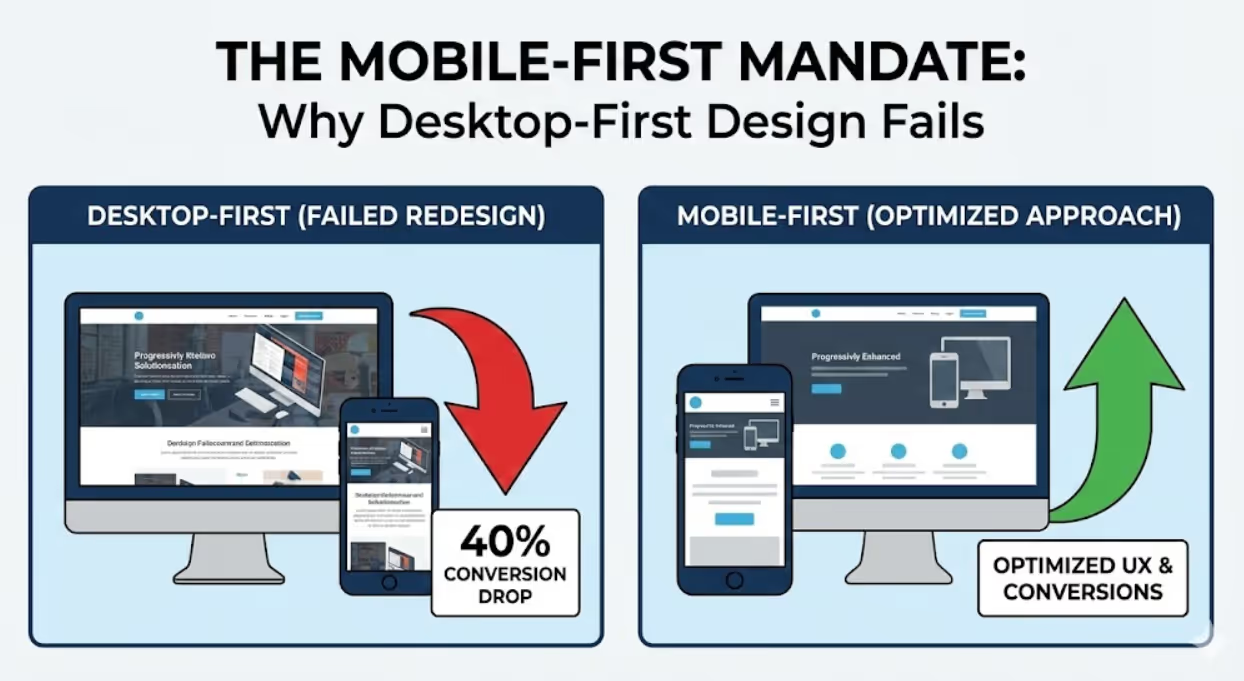
In the aggressive landscape of Australian digital marketing, the desktop monitor is no longer the main event—it is the spectator section. The real action, the revenue-generating clicks, and the critical "near me" searches are happening in the palm of your hand.
For years, "mobile-friendly" was a checkbox—a nice-to-have feature that web developers tackled after the "real" site was built. Today, that hierarchy has flipped completely. With Google’s rigorous enforcement of mobile-first indexing and Australian smartphone penetration hitting near-saturation levels, building for mobile isn’t just a design choice; it is the fundamental baseline of digital survival.
If your website treats mobile users as second-class citizens, you aren’t just annoying your customers; you are actively telling search engines to de-rank you.
As a seasoned SEO specialist, I have witnessed countless Australian businesses—from boutique retailers in Fitzroy to heavy-duty tradies in Western Sydney—bleed revenue because their glossy, high-resolution desktop sites transform into unusable, slow-loading disasters on a 6-inch screen. This comprehensive guide will walk you through the philosophy, technical execution, and strategic necessity of mobile-first development.
.avif)
The Australian Mobile Context: Why It Matters Down Under
To understand why mobile-first is non-negotiable, you have to look at the numbers. Australia is one of the most smartphone-dependent nations globally. According to the Australian Communications and Media Authority (ACMA), over 92% of adult Australians own a smartphone, and for a significant portion of the population, it is their primary device for banking, shopping, and navigating the internet.
This shift has profound implications for local SEO. Whether a user is searching for an emergency plumber in Parramatta or booking a table in Brisbane’s CBD, the journey almost always begins on a mobile device.
The Connectivity ChallengeUnlike markets with ubiquitous, lightning-fast fibre in every corner, Australia faces unique connectivity challenges. While our 5G rollout is robust in capital cities, regional and rural connectivity can be inconsistent. A mobile-first approach respects these limitations. By prioritising lightweight code and optimised assets, you ensure your site loads quickly whether the user is on high-speed Wi-Fi in Sydney or a patchy 4G connection in regional New South Wales.
Defining Mobile-First: It’s Not Just "Responsive"
There is a critical distinction between "responsive design" and "mobile-first development," and understanding it is key to SEO success.
- Graceful Degradation (Desktop-First): Traditionally, developers built the full desktop site first—complete with massive hero images and heavy scripts. They then used CSS media queries to "shrink" and hide elements for smaller screens. This often resulted in mobile sites that looked okay but were bloated with hidden code, leading to slow load times.
- Progressive Enhancement (Mobile-First): This approach flips the workflow. You design and code for the smallest screen first. You focus on the core content and functionality that is absolutely essential. As the screen size increases (tablet, laptop, desktop), you progressively enhance the experience by adding more features.
Why does this matter for SEO?Since 2019, Google has defaulted to Mobile-First Indexing. This means Google predominantly uses the mobile version of your content for indexing and ranking. If your mobile site is a watered-down version of your desktop site, or if it hides critical content behind "read more" tabs that aren't crawlable, your rankings will suffer across all devices.
Reference: Google Search Central - Mobile-first Indexing Best Practices
.avif)
Core Web Vitals and Technical Performance
In the mobile-first era, speed is the currency of engagement. Google’s Core Web Vitals explicitly measure user experience metrics that are critical for mobile users. Failing these metrics can result in a direct ranking penalty.
1. Largest Contentful Paint (LCP)
This measures loading performance. On a mobile device, users expect the main content (like a product image or headline) to load in under 2.5 seconds.
- The Fix: Optimise images relentlessly. Use next-gen formats like WebP, which offer superior compression compared to JPEGs without quality loss. Implement "lazy loading" so that images further down the page don't load until the user scrolls near them.
2. Interaction to Next Paint (INP)
Replacing First Input Delay (FID), INP measures responsiveness. Have you ever tapped a button on a mobile site and nothing happened for two seconds? That is a poor INP score. It frustrates users and leads to "rage clicks."
- The Fix: Minimise JavaScript execution time. Break up long tasks and defer non-essential scripts (like third-party chat widgets or tracking pixels) until after the main content has loaded.
3. Cumulative Layout Shift (CLS)
This measures visual stability. We’ve all experienced the frustration of trying to tap a link, only for an ad to pop up and push the content down, causing us to click the wrong thing. On mobile, where screen real estate is precious, this is a cardinal sin.
- The Fix: Always specify width and height attributes for images and video elements. Reserve space for dynamic content (like ads) so the page layout doesn't jump around as it loads.
UX/UI Engineering for "Fat Fingers"
Mobile-first development is as much about biology as it is about technology. The mouse pointer is a precise instrument; the human thumb is not.
The Thumb Zone
Research suggests that users hold their phones in a variety of ways, but the "thumb zone"—the area of the screen easily reachable with a single thumb—is where your most critical interactive elements must live.
- Strategy: Place primary navigation bars, "Add to Cart" buttons, and key calls-to-action (CTAs) in the bottom third of the screen. Avoid placing critical menus at the top-left corner, which is the hardest point for a right-handed user to reach on a large smartphone.
Touch Targets & Spacing
A "fat finger" error occurs when touch targets are too small or too close together.
- Standard: Google and Apple guidelines recommend a minimum touch target size of 48x48 pixels (roughly 9mm physical size).
- Spacing: Ensure there is adequate padding between clickable elements. If a user tries to tap "Terms of Service" and accidentally hits "Cancel Order," you have created a friction point that could cost you a sale.
Navigation and Menus
The days of the mega-menu are over for mobile.
- Hamburger Menus: While ubiquitous, ensure they are easily accessible and clearly labelled.
- Accordions: Use collapsible headers to organise dense content. This reduces the need for excessive scrolling while keeping all information accessible. Crucially, ensure the content within these accordions is visible to search engine crawlers (using proper HTML5 semantic tags).
Content Strategy: Writing for the Scan
Mobile users are hunting, not reading. They are looking for specific information—a price, an address, a phone number. They do not have the patience to wade through walls of text.
Front-Loading ValueAdopt the "inverted pyramid" style of journalism. Put the most important information—the conclusion, the offer, or the answer—at the very top of the page.
Typography and Readability
- Font Size: Tiny text forces users to pinch-to-zoom, which is a major usability failure. Base font size should be at least 16px for body text.
- Line Height: Increase line spacing to improve readability.
- Contrast: Ensure high contrast between text and background. Mobile screens are often viewed in direct Australian sunlight, which can wash out subtle grey-on-grey designs.
Reference: W3C Web Content Accessibility Guidelines (WCAG) 2.1
.avif)
Local SEO and the "Near Me" Phenomenon
For Australian businesses with a physical presence, mobile-first development is intrinsically linked to Local SEO.
Mobile searches for "____ near me" have exploded in recent years. When a user searches for "coffee shop near me" or "emergency electrician," Google relies on the mobile-friendliness of your site, your proximity, and your load speed to determine if you deserve the click.
- Click-to-Call: Ensure your phone number is a clickable link (
<a href="tel:0412345678">). - Map Integration: Embed a responsive Google Map that opens directly in the user’s map app when tapped.
- Schema Markup: Use LocalBusiness schema to help Google understand your operating hours, address, and reviews, increasing the chances of appearing in the coveted "Local Pack."
5 Key Takeaways
- Mobile-First Indexing is the Rule, Not the Exception: Google now crawls and indexes the mobile version of your site primarily. If your mobile content is sparse or your site is slow, your rankings will tank on desktop too.
- Performance Equals Revenue: Australian users, often on fluctuating 4G/5G connections, demand speed. Optimising Core Web Vitals (LCP, INP, CLS) is critical to reducing bounce rates and improving conversion.
- Design for the Thumb: Usability is biological. Keep key interactions in the "thumb zone" (bottom third of the screen) and ensure touch targets are at least 48x48 pixels to prevent frustration.
- Local SEO is Mobile SEO: Optimise for "near me" intent by using LocalBusiness schema, ensuring NAP (Name, Address, Phone) consistency, and implementing click-to-call functionality.
- Test on Real Hardware: Emulators are useful, but insufficient. You must test your site on actual devices in direct sunlight and on varying network speeds to understand the true Australian user experience.
Frequently Asked Questions (FAQs)
1. Does "Mobile-First" mean I don't need a desktop site?No. It means you start the design process with the mobile experience to ensure the essentials are prioritised. The desktop version is then "progressively enhanced" to utilise the larger screen space. However, the content and core functionality should be equivalent across both.
2. My desktop site has a lot of content. Should I hide some of it on mobile to save space?Be very careful with this. If you hide content on mobile that is present on desktop, Google’s mobile-first index may not count that content towards your rankings. Instead of removing it, use UI elements like accordions or "read more" expanders to keep the page clean while keeping the text accessible to crawlers.
3. How does mobile page speed affect my Google Ads performance?Significantly. Google Quality Score considers landing page experience. If your mobile page loads slowly, your Quality Score drops, meaning you pay a higher Cost Per Click (CPC) for a lower ad position. A fast mobile site literally lowers your advertising costs.
Conclusion: Future-Proofing Your Australian Business
The transition to mobile-first is not a trend; it is the maturation of the internet. For Australian businesses, the message is clear: your customers are mobile, your competitors are adapting, and Google is watching.
A truly responsive, mobile-first website builds trust. It tells the user that you value their time and understand their needs. Whether you are a local tradie or a national retailer, the friction-free experience of a polished mobile site is often the deciding factor between a bounce and a conversion.
If you are unsure where your site stands or need a comprehensive audit of your mobile performance, it is time to bring in the experts. We specialise in turning sluggish sites into high-speed conversion engines.
Ready to dominate the mobile search results? Visit us at Maven Marketing Co. and let's get your digital presence up to speed.

Table of contents
read more blogs

Is Google Ads Better Than SEO for My Business
One of the biggest questions business owners ask when they are planning online growth is whether they should invest in Google Ads or SEO. Both are strong marketing plays that help your company show up in Google search results, but they do things in separate lanes. Google Ads gives quicker visibility and can bring in leads fast, whereas SEO more or less focuses on slow, steady organic traffic that tends to grow the longer you keep building it. Picking the right direction depends on what you want to achieve, how much money you can spend, how crowded the market is, and how quickly you need results, like sooner rather than later. The good news is you don’t always have to choose one or the other; it’s not exactly a black-and-white situation. If you take time to understand the strongest points of both, you can put together a more sensible digital marketing plan that supports consistent expansion. In this guide, we’ll compare Google Ads vs SEO, explain the main differences, and help you figure out what option makes the most sense for your business.

When Should I Hire a Digital Marketing Agency
Growing a business today takes more than just having a website or throwing a post on social media; customers usually search around online, compare providers, skim reviews, and basically expect the brand to show up with a solid digital presence before they even think about buying. Many businesses try to run their marketing themselves, but there comes a point when “doing it all in-house” becomes clunky and hard to manage, all at once. Knowing when to hire a digital marketing agency can end up making a big, real difference for your growth. If you’re not getting enough leads, or your online visibility feels stuck, or sales are just not moving, the right agency can bring the know-how, plus a clear plan, to help you get noticeably better outcomes. In this guide, we’ll dig into what a digital marketing agency actually does, the usual signs it’s time to bring one on, and how picking the right marketing partner can help your business move forward at a faster pace.

Why Is My Google Ads Budget Running Out So Quickly
Running a successful Google Ads budget isn’t only about throwing more money at it. It’s more like making every dollar, doing a bit extra. A lot of businesses start a Google Ads campaign with big hopes, then find out their daily budget is gone within a few hours, and that feels weird, right? After that, your ads stop showing effectively, new leads slip away, and your return on investment dips. So if your Google Ads budget is running out too fast, don’t stress. It’s a fairly common issue, and in most situations, it can be repaired with the right approach. There are multiple little things that can drain your advertising money quicker than you expected, from costly keywords to audience targeting that just doesn’t quite fit. In this guide, we’ll walk through why your budget disappears so quickly, how to cut wasteful spend, and the most reliable ways to boost your Google Ads ROI, even if your budget stays the same.


